
The file comes from the operator's own site rather than from a store, so this page walks the whole route: what Android asks, what to read before you approve it, and what iPhone owners do instead.
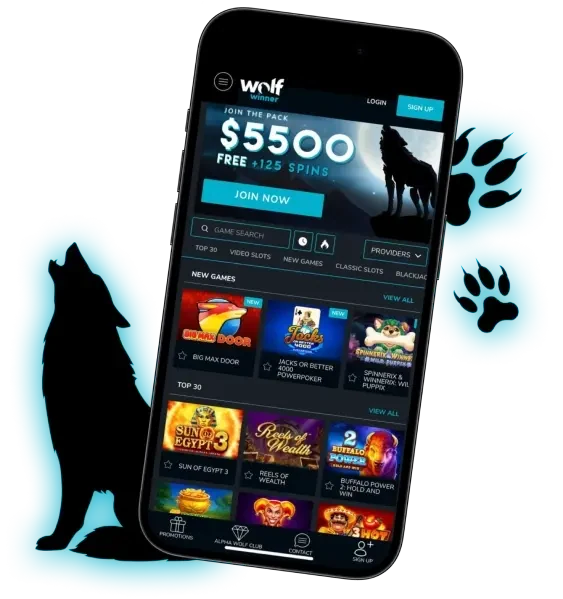
- The same platform and the same account you use in a browser
- Nine documented install steps, in the order they happen
- iPhone route: the mobile site added to the home screen from Safari
The Wolf Winner App: Android Install, iPhone Alternative And The Questions Worth Asking First
Installing anything that did not come from an app store makes sensible people pause, and it should. This page is written for that pause. It explains exactly what the Wolf Winner app is, why the file comes from the casino's own site rather than from Google Play, what happens at each step of the install, what Android will ask you along the way, and what iPhone owners should do instead. The steps below are the real ones, in order, with nothing skipped because it looked fiddly.
What Installing Actually Gets You
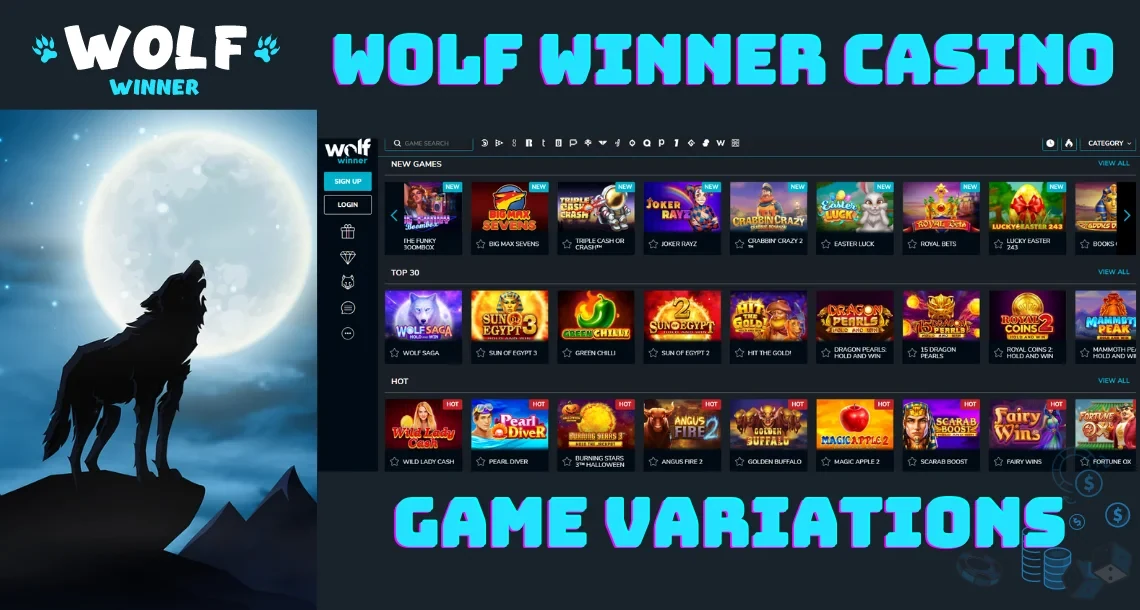
The Wolf Winner casino app is the same platform in a different wrapper. It is not a preview, a demo build or a cut-down menu. Signing in puts you in front of the same lobby you would see in a browser: the same search field, the same provider filter, and the same category strip running Top 50, New Games, Alpha's Choice, Hot Games and The Originals. The bottom bar keeps Promotions, Alpha Wolf Club, Contact and Sign Up within thumb reach, which is the layout the mobile site already uses and the reason the app feels immediately familiar.
The catalogue is the catalogue. Pokies from Playson, Pragmatic Play, Booongo, BGaming, Betsoft Gaming, Yggdrasil Gaming, Booming Games, Realtime Gaming, Platipus, Mascot Gaming, Swintt and Spribe render at phone resolution rather than being squeezed down from a desktop layout, and hold-and-win titles read especially well on a small screen because the locked symbols stay put while the rest of the reels move.
What the Wolf Winner app adds over a browser is small but real: a launcher icon instead of a bookmark, no address bar eating vertical space, a session that survives switching apps, and a faster cold start because the interface files already sit on the device. What it does not add is a separate set of rules. Balance, bonuses, limits and verification status are account-level and identical wherever you sign in.
Tiles render at phone resolution instead of being squeezed down from a desktop layout.






Same lobby, same filters, same categories, sized for a thumb instead of a mouse.
Play the same lobby on mobileWhy It Is Not On Google Play
The answer is straightforward: Google Play restricts real-money gambling apps. Google runs a country-by-country approval scheme, requires a separate developer application for each territory, and lists gambling apps only in the small set of markets where it has chosen to allow them. Australia has not been an open market for real-money casino apps on Play, so operators serving Australian players distribute Android builds from their own sites instead.
That is a distribution rule, not a verdict on the software. Plenty of ordinary Android apps live outside the Play Store for policy reasons rather than technical ones, and Android has a documented permission for installing them. What genuinely matters is where the file comes from, and that is covered below.
Apple's App Store applies its own restrictions on real-money gambling, which is why the iOS route on this page is the mobile site rather than an install. That section is further down too, and it is not a consolation prize.
Installing The APK On Android, Step By Step
Allow five minutes. Do it on Wi-Fi if you can, since the download is a one-off.
- Open the casino site in Chrome on the phone itself. Not on a laptop, not through a link somebody forwarded you. Type or paste the address into the browser and check it in the address bar before you tap anything.
- Find the Android download. It usually sits in the main menu or in a mobile banner. Tap it, and Chrome will ask whether you want to keep a file of this type. Confirm.
- Wait for the download to finish. Chrome shows the progress in the notification shade. The file size is displayed before the download starts, so you know what it will cost you in data.
- Tap the downloaded file. Either from the Chrome download notification or through the Files app, in the Downloads folder.
- Grant the install permission when Android asks. On Android 8 and later the prompt reads something like "Chrome is not allowed to install unknown apps" with a Settings button. Tap Settings, switch on "Allow from this source", then press back. The permission is granted to the browser, for this install, rather than to the phone as a whole.
- Confirm the install. Android summarises what the app can access and asks you to approve. Read that summary rather than tapping through it.
- Wait for Play Protect. Google's built-in scanner checks the file and may show a notice that the developer is unknown. That notice is about the distribution channel, not about a detection. If Play Protect reports actual malware rather than an unknown source, stop and delete the file.
- Open the app and sign in. Use the credentials you already have. There is no second registration.
- Turn the permission back off. Return to Settings, Apps, Special app access, Install unknown apps, and switch Chrome back off. It takes ten seconds and closes the door behind you.
If the install stalls, it is nearly always one of three things: not enough free storage, an interrupted download that left a partial file, or an Android version too old for the build. Clear space, download again, and check your version in Settings, About phone.
Five minutes on Wi-Fi, nine steps, and the icon is on your home screen.
Get the Android appIs The APK Safe?
Vague reassurance is worse than nothing here, so here are the specifics that actually determine the answer.
The source decides everything. An APK is only as trustworthy as the site that served it. Take the Wolf Winner apk from the operator's own domain, over https, typed into the address bar yourself. Not from mirror sites, file hosts, APK aggregators or a forwarded link, because a repackaged file with something extra inside looks identical from the outside.
Check the permissions before you accept them. A casino app has honest reasons to want storage access, notifications and, if you use crypto, the camera for scanning a wallet code. It has no reason at all to want your contacts, your call log, your SMS messages or accessibility services. If any of those appear in the install summary, cancel and walk away.
Keep Play Protect on. Sideloading does not switch off Android's scanner. Play Protect examines the file at install and rescans periodically afterwards, and leaving it enabled costs you nothing.
Update from inside the app. Once installed, the app tells you when a new version is available and points at the same official source. Never take an update from a third-party page.
Uninstalling is normal. Press and hold the icon, choose Uninstall, and the app is gone. Nothing about the account changes, because the account lives on the server rather than the phone. Sign back in through a browser and everything is exactly where you left it.
Two device habits matter as much as anything above: a screen lock, and a password used for this account and nothing else. Most casino account compromises come from a reused password or an unlocked phone rather than from the app.
One rule covers most of it: take the file from the operator's own domain, typed in yourself.
Go to the official siteThe Same Platform, The Same Account
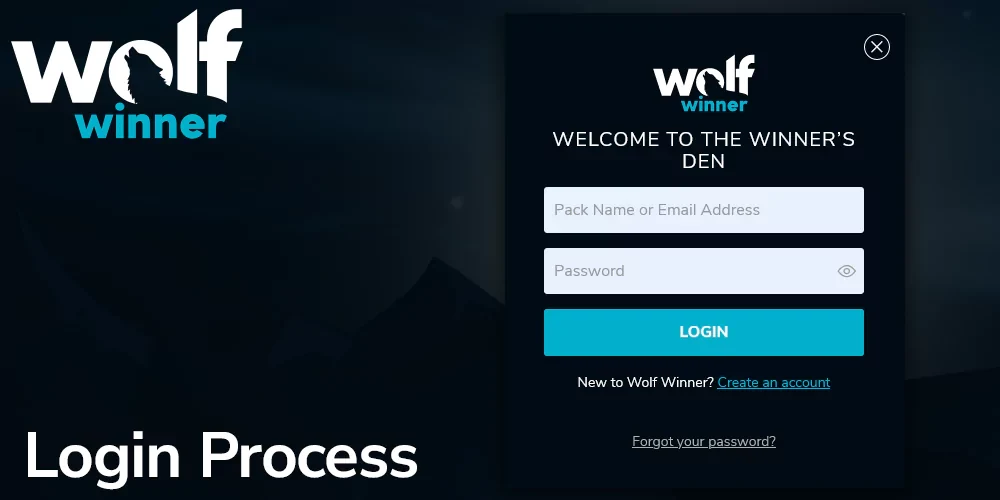
There is no separate app account, no separate wallet and no separate verification. One registration covers everything.
That means the connection between your phone and the platform is encrypted the same way it is in a browser, identity verification happens once and unlocks withdrawals everywhere, and the responsible gambling settings you apply are enforced at account level. A deposit limit set on a laptop applies to a session started on the app three days later, because the limit belongs to the account rather than to the device. The 18+ rule is enforced through the same verification step regardless of how you signed in.
It also means you can switch mid-session: start a game on the Wolf Winner app, put the phone down, open the site on a desktop, and your balance, history and any active promotion are exactly as you left them.
The Install Bonus, Honestly

An app-linked promotion, when one is running, appears in the Promotions section of your account with its own terms attached: what it credits, what has to be wagered, which games count and when it expires. That section is the only reliable place to check, and it is worth opening before you install rather than after.
What can be said without qualification is that installing costs you nothing in bonus terms. The welcome package of up to $5,500 across four deposits with 125 free spins on the first is account-level, so it applies whether you deposit through the app or through a browser, and choosing one over the other never reduces an offer. Full detail on how that package is structured is on our main Wolf Winner Australia page.
Treat any third-party page quoting an exact spin count for an "app bonus" with suspicion. Those numbers are copied between affiliate sites, they contradict each other, and none of them is a substitute for the terms sitting next to the offer in your account.
The welcome package is account-level: up to $5,500 across four deposits, 125 spins on the first.
Claim the welcome packageiPhone And iPad: The Mobile Site
If you are on iOS, you are not missing out on much, and the reason is worth understanding rather than glossing over.
The Wolf Winner mobile site is not a scaled-down page. It is the same platform rendered for touch, and Safari on a modern iPhone runs it with the same games, cashier, account settings and responsible gambling controls. Nothing in the catalogue is Android-only.
To get an app-like experience in about fifteen seconds:
- Open the site in Safari.
- Tap the Share button, the square with the arrow at the bottom of the screen.
- Scroll down and choose "Add to Home Screen".
- Name the icon and tap Add.
The result behaves like an installed app: full screen without Safari's chrome, its own session, an icon on the home screen. On iPad the same steps work with more room for the lobby.
The route has a genuine advantage too. There is no APK to update, nothing to reinstall when a new version ships, no storage used beyond the browser cache and no install permission to manage, and you always have the current version because the site is the current version. Android players who prefer that trade-off can add the Wolf Winner casino online lobby to their home screen from Chrome instead of installing anything.
Deposits And Withdrawals In The App
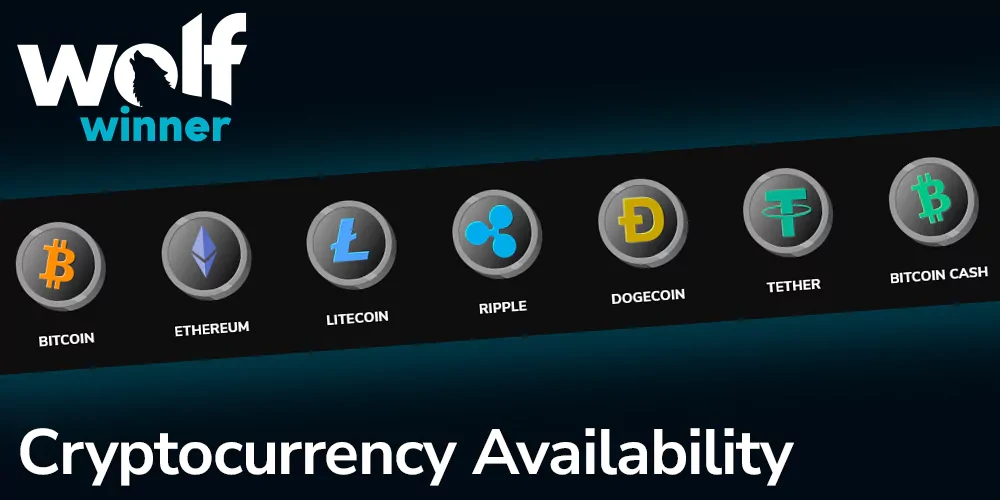
Nothing about the cashier is reduced on mobile. The full method list is there: VISA and Mastercard, Neosurf, CashtoCode, eZeeWallet, bank transfer, and the crypto options Bitcoin, Bitcoin Cash, Ethereum, Litecoin, Dogecoin and Tether. Minimums and processing estimates are shown per method inside the cashier at the moment you transact, and those are the figures to work from.
Withdrawals work fully from the app. Open the cashier, choose Withdraw, pick a method, enter the amount and confirm. Three account-level rules apply regardless of the device you used:
- Identity verification must be complete before any payout is released.
- Money returns to the method it came from wherever that method can receive it. Voucher deposits cannot, so an alternative route in your own name is nominated instead.
- Withdrawals are capped at AUD 10,000 per week, with larger balances paid across consecutive weeks.
Uploading verification documents from a phone is usually easier than from a desktop, since you can photograph a document and attach it in the same motion. Do it in your first week rather than on the day you want the money.
The full method list, with the live minimum and processing estimate shown per method.









Payouts return to the method they came from wherever that method can receive them, and the weekly ceiling belongs to the account rather than to the device.
Photograph a document, attach it, and verification is done before you ever request a payout.
Open the cashierResponsible Gambling Controls On Mobile
Every control that exists on desktop exists in the app, under account settings: daily, weekly or monthly deposit caps, caps on losses and total stakes, a ceiling on session length, reality check reminders, a temporary time-out and self-exclusion.
Two behaviours are worth knowing in advance. A stricter limit applies the second you save it. A looser one has to wait out a cooling-off period and then be confirmed again, which is deliberate: the moment you want more headroom is the moment the decision deserves least trust.
Reality checks are more useful on a phone than anywhere else. A pokie on a small screen has no clock, no window and no daylight, and a reminder every thirty minutes is the cheapest correction available. Free, confidential support in Australia is at gamblinghelponline.org.au, and the full set of tools and self-assessment questions is on our responsible gambling page.
What It Costs, And What It Uses
The app is free. There is no purchase, no subscription and no charge for an update. The only money involved is what you choose to deposit.
Mobile data is a fair question on a capped plan, and the pattern is predictable. The one-off download is the largest single transfer, and its size is shown before you start it. After that, each new game loads its graphics and sound the first time you open it, which is the heaviest ongoing use; later sessions with the same title are far lighter because those files are cached. Spins and results themselves are a small exchange per round, while anything with continuous video is the most demanding thing you can open on a mobile connection.
Three habits keep it under control: open each new game for the first time on Wi-Fi, check real consumption in Settings, Network and internet, Data usage, where Android lists it per app, and set a data warning there if your plan is tight.
Free to install, free to update, and the only money involved is what you choose to deposit.
Install and sign inFAQ
Is the Wolf Winner app free to download?
Yes. The download, the install and every update are free, with no subscription attached. The only cost is the mobile data for the download and whatever you choose to deposit.
Why can't I find the Wolf Winner app download on Google Play?
Google Play restricts real-money gambling apps and approves them market by market, and Australia is not a market where casino apps are generally listed. Operators serving Australian players therefore distribute Android builds from their own sites. It is a store policy rather than a comment on the app, and Android includes a built-in permission for installing software from outside the store.
Do I need a separate account for the Wolf Winner casino app?
No. One account covers the app, the mobile site and desktop. Sign in with the credentials you already have; balance, verification status, promotions and limit settings follow you across all three. New players can register inside the app.
Can I withdraw my winnings from inside the app?
Yes, in full. Open the cashier, select Withdraw, choose a payout method and confirm. Verification must be complete first, funds return to the method used for the deposit where it can receive them, and the AUD 10,000 weekly cap applies to the account rather than to the device you requested it from.
Is the Wolf Winner apk safe to install?
It is safe if you get it from the right place: the operator's own site, over https, typed into the browser yourself, never a mirror, aggregator or forwarded link. Read the permission summary before approving and refuse anything asking for contacts, SMS or call logs. Leave Play Protect on and turn the "install unknown apps" permission back off afterwards.
What can iPhone users do instead?
Use the mobile site in Safari and add it to your home screen through the Share menu. It launches full screen, keeps its own session and gives you the same games, cashier and account controls as the Android app, with nothing to install and nothing to update.
Install the Android build or add the mobile site to your home screen. Either way the balance, the limits and the offer are the same, because they belong to the account.
- Up to $5,500 in bonus funds across four deposits
- 125 free spins attached to the first deposit
- First deposit matched at 125% up to $2,000